
Arduino Media and Environment Control Panel
A desktop control panel combining physical controls, an LDR, and temperature data with a Python interface for Windows.
About the Project
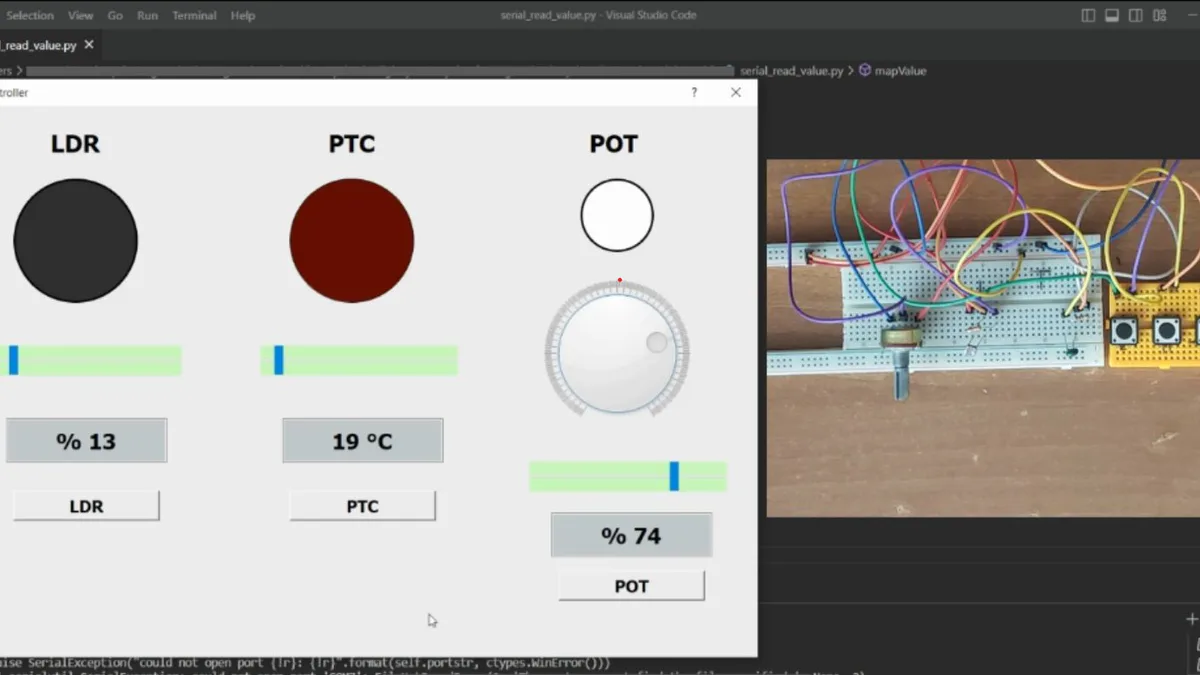
This desktop system turns an Arduino potentiometer, buttons, LDR, and PTC thermistor into a physical Windows control panel. It manages volume and media commands, maps ambient light to screen brightness, and visualizes sensor readings in a PyQt5 interface.
How It Works
Arduino reads the analog sensors and buttons, then sends dot-separated values in an x...c frame at 9600 baud. A Python QThread listens without blocking the interface. The potentiometer value controls an audio session through Pycaw, the LDR value becomes a WMI brightness setting, and button codes trigger previous, play/pause, and next media keys through Pynput.
Technologies
- PyQt5 / QThread: interface and non-blocking serial reads.
- PySerial: Arduino data channel.
- Pycaw: Windows audio-session control.
- Pynput: software media-key events.
- WMI: display brightness adjustment.
- Arduino: sensor sampling and message framing.
Project Structure
python_codes.py: UI, serial parser, and Windows controls.arduino_codes/arduino_codes.ino: sensor acquisition and transport format.
Hardware
Arduino, potentiometer, LDR, PTC thermistor, three buttons, breadboard, and wiring.
Technical Notes
The desktop side depends on Windows-specific Pycaw and WMI interfaces, and the serial port is configured directly in code.